How to Set Up CI/CD Pipelines with AegisRunner
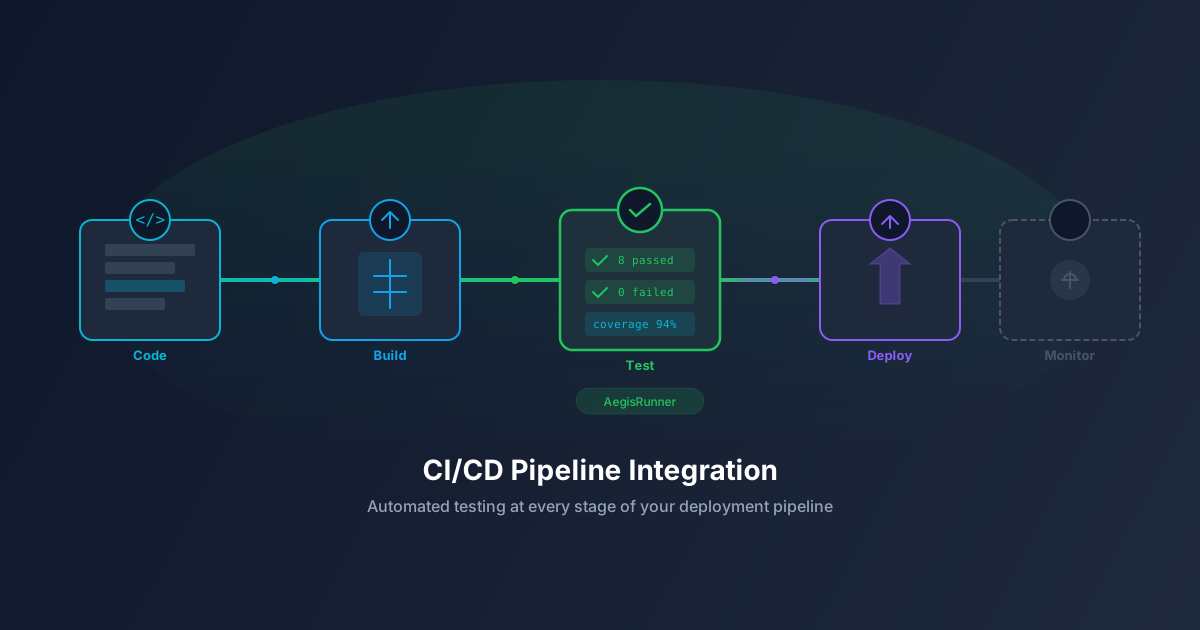
Automated tests are only valuable when they run automatically. The most thorough test suite in the world is useless if your team forgets to run it before deploying. CI/CD integration ensures that every code change is tested before it reaches production.
This guide walks you through integrating AegisRunner with popular CI/CD platforms to run visual regression tests, functional tests, and accessibility checks on every pull request.
Why CI/CD Integration Matters
Without CI/CD integration, testing is a manual step that gets skipped under deadline pressure. With integration:
- Every PR is tested: Tests run automatically when code is pushed, catching bugs before code review.
- Deployment gates: Failed tests block deployment to staging or production, preventing broken releases.
- Faster feedback: Developers see test results within minutes of pushing code, while the changes are still fresh in their minds.
- Historical tracking: CI/CD logs provide a history of test results, making it easy to identify when regressions were introduced.
Setting Up the AegisRunner CI/CD Token
Before integrating with any CI/CD platform, you need an API trigger token:
- Navigate to your project in AegisRunner.
- Go to Settings > CI/CD Integration.
- Click Generate Trigger Token.
- Copy the token and store it as a secret in your CI/CD platform.
This token authenticates CI/CD requests to the AegisRunner API without exposing user credentials.
GitHub Actions
GitHub Actions is the most common CI/CD platform for modern teams. Here is a workflow that runs AegisRunner tests on every pull request:
name: AegisRunner Tests
on:
  pull_request:
    branches: [main, develop]
jobs:
  test:
    runs-on: ubuntu-latest
    steps:
      - name: Trigger AegisRunner Tests
        run: |
          RESPONSE=$(curl -s -X POST \
            -H "Authorization: Bearer ${{ secrets.AEGIS_TRIGGER_TOKEN }}" \
            -H "Content-Type: application/json" \
            -d '{
              "suiteIds": ["your-suite-id"],
              "waitForCompletion": true,
              "timeout": 300
            }' \
            https://aegisrunner.com/api/v1/ci/trigger)

          STATUS=$(echo $RESPONSE | jq -r '.status')
          if [ "$STATUS" != "passed" ]; then
            echo "Tests failed! Status: $STATUS"
            echo $RESPONSE | jq .
            exit 1
          fi
          echo "All tests passed!"
GitLab CI
For GitLab CI, add the following to your .gitlab-ci.yml:
aegisrunner-tests:
  stage: test
  image: curlimages/curl:latest
  script:
    - |
      RESPONSE=$(curl -s -X POST \
        -H "Authorization: Bearer $AEGIS_TRIGGER_TOKEN" \
        -H "Content-Type: application/json" \
        -d '{"suiteIds": ["your-suite-id"], "waitForCompletion": true}' \
        https://aegisrunner.com/api/v1/ci/trigger)
      STATUS=$(echo $RESPONSE | jq -r '.status')
      [ "$STATUS" = "passed" ] || exit 1
  only:
    - merge_requests
    - main
Jenkins
For Jenkins, create a pipeline stage:
pipeline {
    agent any
    stages {
        stage('AegisRunner Tests') {
            steps {
                script {
                    def response = httpRequest(
                        httpMode: 'POST',
                        url: 'https://aegisrunner.com/api/v1/ci/trigger',
                        customHeaders: [
                            [name: 'Authorization', value: "Bearer ${env.AEGIS_TRIGGER_TOKEN}"],
                            [name: 'Content-Type', value: 'application/json']
                        ],
                        requestBody: '{ "suiteIds": ["your-suite-id"], "waitForCompletion": true }'
                    )
                    def result = readJSON(text: response.content)
                    if (result.status != 'passed') {
                        error("AegisRunner tests failed: ${result.status}")
                    }
                }
            }
        }
    }
}
API-Based Integration
For custom CI/CD systems or scripts, use the AegisRunner API directly:
# Trigger a test run
curl -X POST \
  -H "Authorization: Bearer YOUR_TOKEN" \
  -H "Content-Type: application/json" \
  -d '{"suiteIds": ["suite-1", "suite-2"]}' \
  https://aegisrunner.com/api/v1/ci/trigger
The API returns a run ID that you can poll for completion status, or use waitForCompletion: true to block until tests finish.
Best Practices for CI/CD Testing
1. Use Separate Test Environments
Run tests against a staging environment that mirrors production. This avoids polluting production data with test interactions.
2. Parallelize Test Suites
If you have multiple test suites, trigger them in parallel to reduce total pipeline time. AegisRunner supports concurrent suite execution.
3. Set Appropriate Timeouts
Visual regression tests may take longer than unit tests. Set timeouts that account for page load times, screenshot capture, and comparison processing.
4. Handle Flaky Tests
Network issues or timing-dependent tests can cause intermittent failures. Configure retries for flaky tests and track flakiness rates over time.
5. Archive Test Artifacts
Store screenshots, diff images, and test reports as CI/CD artifacts for debugging. AegisRunner provides downloadable reports for every run.
Ready to add automated testing to your pipeline? Set up AegisRunner CI/CD integration and catch bugs before they ship.