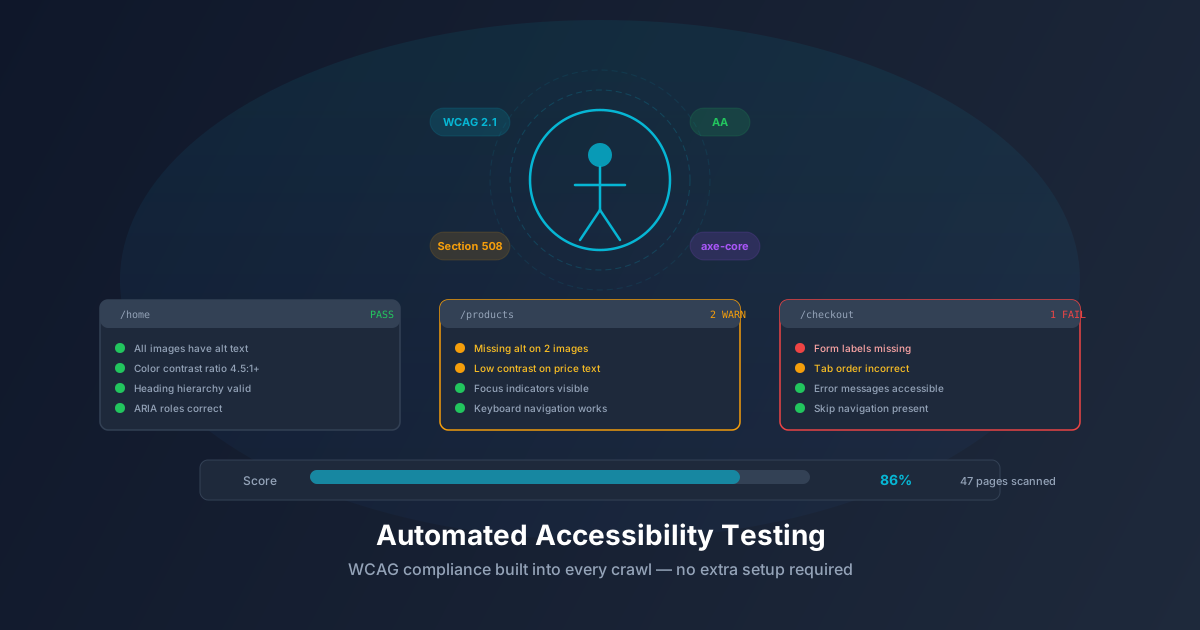
Automated Accessibility Testing Built Into Every Crawl
Accessibility testing usually happens late, manually, and incompletely. AegisRunner runs axe-core audits against every discovered page state automatically — here's what that means for your WCAG compliance.
Accessibility testing has a coverage problem. Most teams run an accessibility checker against their homepage, maybe their checkout flow, and call it done. The rest of the application — admin interfaces, settings pages, error states, modal dialogs — never gets audited. Violations accumulate undetected until a user files a complaint or a legal team raises a flag.
The root cause is friction. Running an accessibility audit manually means opening DevTools, running axe, reading the output, filing tickets, and repeating across every page. That workflow doesn't scale.
Automated accessibility testing changes this by running audits continuously, across every page, as part of the normal testing process.
What axe-core Actually Checks
axe-core is the open-source accessibility rules engine maintained by Deque Systems. It's the most widely used automated accessibility testing library in existence.
axe-core checks are organized by WCAG success criteria:
- WCAG 2.0 Level A: Missing alt text, form fields without labels, keyboard traps, missing page titles, empty links, color contrast failures
- WCAG 2.0 Level AA: Enhanced contrast ratios, visible focus indicators, consistent navigation, error identification
- WCAG 2.1 Level A: Pointer cancellation, motion actuation, character key shortcuts
- WCAG 2.1 Level AA: Reflow, non-text contrast, text spacing, content on hover/focus
Each check produces: violation (definitely a problem), incomplete (needs human review), or pass.
axe-core catches roughly 30–40% of WCAG issues automatically. The remaining violations require human judgment. But 30–40% automated coverage running on every page on every commit is dramatically better than 0% coverage with occasional manual audits.
Why Crawl Integration Matters
The standard way to use axe-core is to inject it into a page and call axe.run(). This works for the initial page state. It misses everything else:
- Dropdown menus that only exist when a toggle is clicked
- Modal dialogs with their own focus traps and ARIA roles
- Form validation messages that appear after submission
- Tab panels and accordions in their open state
- Tooltips and popovers on hover/focus
- Error pages and empty states
These dynamic states frequently contain accessibility violations. Modal dialogs that don't manage focus correctly. Error messages not associated with their input fields. Tooltip text with insufficient contrast.
When accessibility testing is built into a crawler, axe-core runs against every captured state — not just the initial page load. Every time the crawler interacts with an element and captures a new DOM state, it runs an audit. The result is accessibility coverage that tracks the actual user experience.
Static Scanners vs. Crawl-Integrated Auditing
Consider a product page on an e-commerce site.
What a static scanner covers:
- Page title present
- Images have alt text
- Heading hierarchy
- Base contrast ratios
- Form labels on visible inputs
What a crawl-integrated audit additionally covers:
- Size selector dropdown: keyboard navigable? Expanded state announced to screen readers?
- Image gallery modal: focus management on open/close?
- "Add to Cart" confirmation: live region for status announcement?
- Quantity input error: programmatic association via
aria-describedby? - Sticky header after scroll: does it obscure focused elements?
Violations in these dynamic states are common, often serious, and entirely invisible to static scanners.
Reading the Accessibility Report
Each crawl produces a report organized by violation severity and WCAG criterion:
Violation: color-contrast
Impact: serious
WCAG: 1.4.3 (Level AA)
Description: Elements must have sufficient color contrast

Affected elements: 3
  - .price-badge (contrast ratio 2.8:1, required 4.5:1)
    Page: /products/widget-pro
    State: Default product page

  - .sale-label (contrast ratio 3.1:1, required 4.5:1)
    Page: /products/widget-pro
    State: Sale badge visible
Violations are tied to specific pages, specific DOM states, and specific elements. Actionable — not "your site has contrast issues" but "this element on this page in this state has ratio 2.8:1 and needs 4.5:1."
Integrating Into CI/CD
With CI/CD integration, accessibility audits run automatically on every crawl:
- Developer pushes to a PR branch
- CI deploys to staging
- AegisRunner crawl triggers via webhook
- Crawl runs accessibility audits across all discovered states
- New violations cause the check to fail
- Developer sees violations before the PR merges
This prevents regressions — new code can only introduce violations if explicitly accepted.
name: Accessibility Regression Check
on:
  pull_request:
    branches: [main, staging]

jobs:
  accessibility:
    runs-on: ubuntu-latest
    steps:
      - uses: actions/checkout@v4
      - name: Deploy preview
        id: deploy
        run: echo "url=https://preview-${{ github.sha }}.example.com" >> $GITHUB_OUTPUT
      - name: Trigger AegisRunner crawl
        uses: aegisrunner/crawl-action@v1
        with:
          api-token: ${{ secrets.AEGISRUNNER_TOKEN }}
          url: ${{ steps.deploy.outputs.url }}
          accessibility: true
          fail-on-new-violations: true
          wcag-level: AA
WCAG Coverage Breakdown
Fully Automated
- Missing or empty
alton images - Form inputs without labels
- Insufficient color contrast
- Missing
langattribute - Missing page titles
- Buttons/links with no accessible name
- Duplicate IDs
- Keyboard focus order issues
- Invalid ARIA roles
- Tables without headers
Needs Human Review
- Alt text quality (present but meaningful?)
- Reading order and document structure
- Focus management in custom components
- Animation/motion compliance
Requires Manual Testing
- Screen reader compatibility with custom widgets
- Keyboard interaction patterns
- Color-only information encoding
- Audio descriptions for video
- Cognitive load and plain language
Most Common Violations Found
Based on crawl data across modern web applications:
- Color contrast failures (1.4.3 AA): Light gray on white is the most common offender — placeholder text, secondary text, disabled labels, badge text.
- Missing accessible names on icon buttons (4.1.2 A): Icon-only buttons without
aria-label. Common in toolbars, carousels, modal close buttons.
- Form fields without labels (1.3.1 A): Using
placeholderas a substitute for— placeholder disappears on input.
- Keyboard traps (2.1.2 A): Modal dialogs that don't cycle focus within the dialog.
- Missing skip navigation (2.4.1 A): No mechanism to bypass repeated navigation.
- Missing autocomplete (1.3.5 AA): Login and checkout forms without
autocompleteon name, email, address fields.
Accessibility Testing as Development Practice
The most effective programs treat accessibility like any other regression: automated checks on every commit, violations block merges, developers see issues in their environment before code review.
This is only feasible if tooling is low-friction. Running an audit should be as automatic as running a linter.
Crawl-integrated accessibility testing makes this realistic. The crawl happens automatically; the audit happens as part of the crawl; results surface in the same CI dashboard as functional tests.
Getting Started
Every AegisRunner crawl runs accessibility audits by default — not a separate add-on or enterprise feature. Free tier crawls include full axe-core audits against every discovered page state, covering WCAG 2.0 and 2.1 at both Level A and Level AA.
Run your first accessibility audit free at aegisrunner.com — no configuration required beyond your URL.