Are Brittle Selectors Killing Your Playwright Tests? How Self-Healing AI Changes Everything
You refactor a button. You change a CSS class. You update your component library. Your tests explode.
Sound familiar?
Brittle selectors are the silent killer of test automation. Your Playwright suite worked perfectly yesterday. Today it’s throwing 47 failures because someone changed btn-primary to button-primary in your design system.
The application works fine. Your users are happy. But your CI/CD pipeline is red, your team is debugging selectors instead of building features, and you’re wondering if automated testing is worth the maintenance headache.
Why Selectors Break (And Why It Matters)
Traditional Playwright tests rely on CSS selectors, XPath expressions, or element hierarchies to find and interact with page elements. These selectors are fragile by design.
When you write page.locator('.btn-submit'), you’re creating a dependency on implementation details. Change the class name during a redesign? Test breaks. Refactor your component structure? Test breaks. Add a wrapper div for layout? Test breaks.
The problem compounds at scale. A single design system update can cascade into hundreds of broken tests. Your QA team spends days updating selectors instead of testing actual functionality. The cost of maintaining your test suite starts exceeding its value.
XPath selectors are even worse. Expressions like //div[3]/button[2]/span are nightmares waiting to happen. Add one element to the DOM and your carefully crafted path points to the wrong thing: or nothing at all.

The Self-Healing AI Promise (And Its Limitations)
Enter self-healing AI. The pitch sounds amazing: when a selector breaks, AI automatically finds the element using alternative methods and updates your test. No manual intervention required.
The reality is more nuanced.
Selectors cause only a minority of test failures. Research shows that while brittle selectors are a problem, they’re not the main source of flakiness in test suites. Timing issues, network flakiness, state management, and actual application bugs account for the majority of failures.
Self-healing AI that simply repairs broken selectors after they fail is addressing symptoms, not root causes. You’re still using fragile selectors: you’re just patching them faster when they break.
Plus, there’s a transparency problem. When AI automatically “fixes” a selector, do you know what it changed? Can you review whether the new selector is actually targeting the right element? Or are you trusting a black box that might be clicking the wrong button?
A Better Approach: Stable Selectors From The Start
What if your tests never used brittle selectors in the first place?
This is where AegisRunner takes a different path. Instead of using self-healing AI to fix bad selectors after they break, we use AI to generate stable, semantic selectors that survive UI changes from day one.
AegisRunner’s AI analyzes your application the way users do: by understanding semantic meaning, not implementation details. It looks for buttons by their labels, forms by their purposes, and interactive elements by their roles and accessible names.
The result: tests that target elements based on what they do and what they say, not how they’re styled or structured.
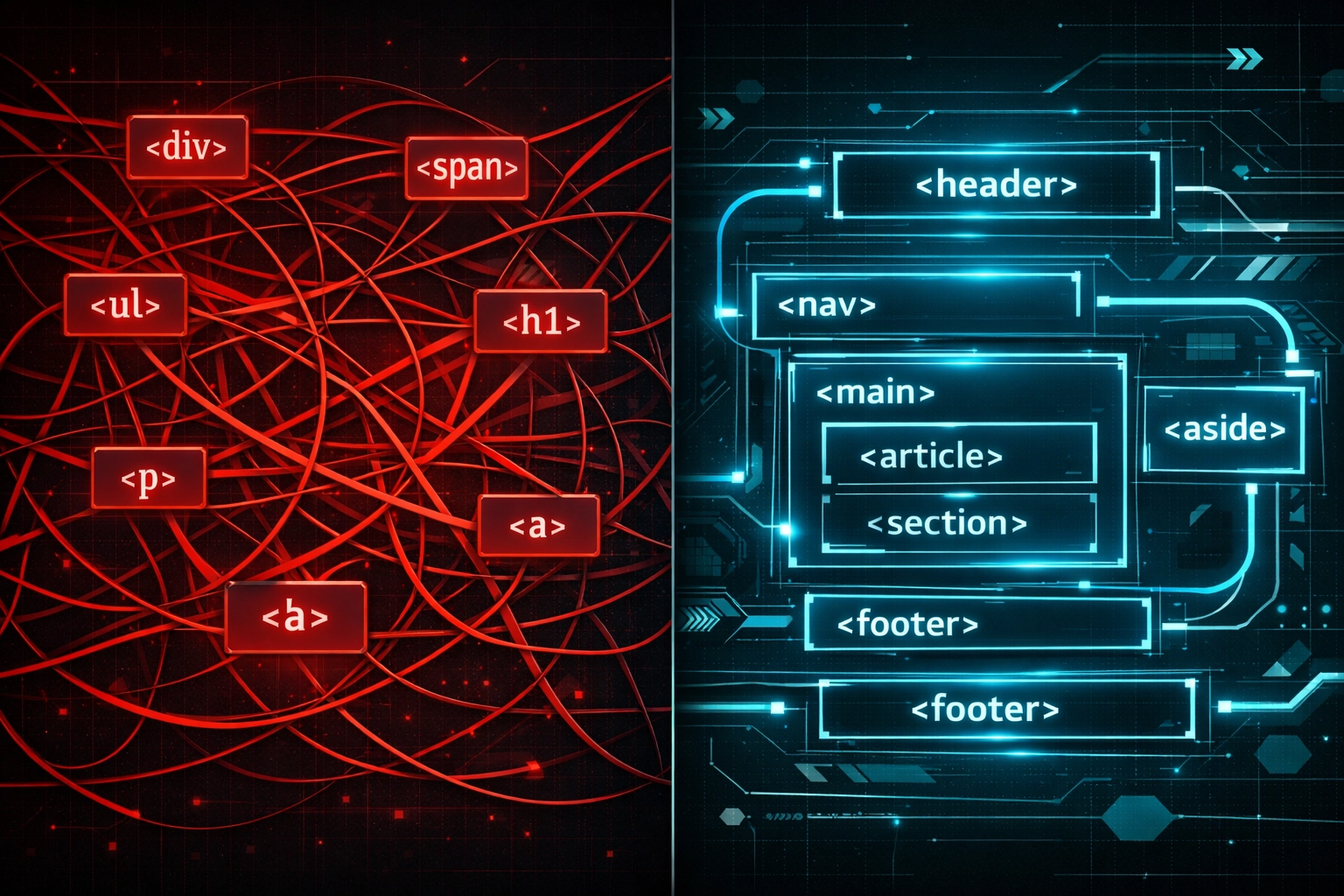
Text-Based, Semantic Selectors That Actually Work
When AegisRunner generates tests, it prioritizes selectors in this order:
Role-based targeting: getByRole('button', { name: 'Submit' }) finds buttons by their ARIA role and accessible name. Change the CSS classes? Still works. Refactor the component? Still works. The button’s purpose hasn’t changed, so the test doesn’t break.
Text-based targeting: getByText('Sign In') or getByLabel('Email address') targets elements by visible text or labels. These selectors mirror how real users interact with your application. Users don’t care about class names: they look for buttons that say “Sign In” and input fields labeled “Email address.”
Data attributes when needed: For elements without clear text or roles, AegisRunner can suggest data-testid attributes. These are explicit testing hooks that survive design changes because they’re intentionally maintained for testing purposes.
The AI understands context. It knows the difference between a primary action button and a cancel button, even if they share similar styling. It distinguishes form fields by their labels and purposes, not their position in the DOM.
This isn’t just theory. When you update your design system, your AegisRunner tests keep running. When you refactor components from class-based to hooks, your tests don’t notice. When you A/B test different button placements, your tests adapt automatically because they’re targeting semantic meaning, not layout.
The Accessibility Tree: Why Semantic Selectors Survive
Semantic selectors work because they query a different layer of the page than CSS and XPath do. Every browser builds two representations of your page: the DOM tree — every technical node, wrapper div, and styling hook — and the accessibility tree, the semantic structure browsers expose to screen readers and assistive technology.
The accessibility tree strips away layout noise. A “Submit” button is a button named “Submit” whether it sits inside three wrapper divs or none, whether its class is btn-primary or action-button. When AegisRunner targets getByRole('button', { name: 'Submit' }), it’s querying that stable semantic layer — not the fragile DOM structure underneath.
That’s what makes these tests durable:
- Stable — changes to CSS or non-semantic HTML don’t touch the accessibility tree, so they don’t break the test.
- Meaningful — a test that finds elements the way a screen reader does is also confirming your page works for every user.
- Self-documenting —
getByRole('button', { name: 'Purchase' })says exactly what it targets;#buy-now-fixeddoesn’t.
Export to Clean Playwright Scripts for CI/CD
Here’s where it gets even better for engineering teams: AegisRunner doesn’t lock you into a proprietary platform.
The AI-generated tests export to clean, readable Playwright scripts that run in your existing CI/CD pipeline. No vendor lock-in. No custom test runner. No black box execution environment.
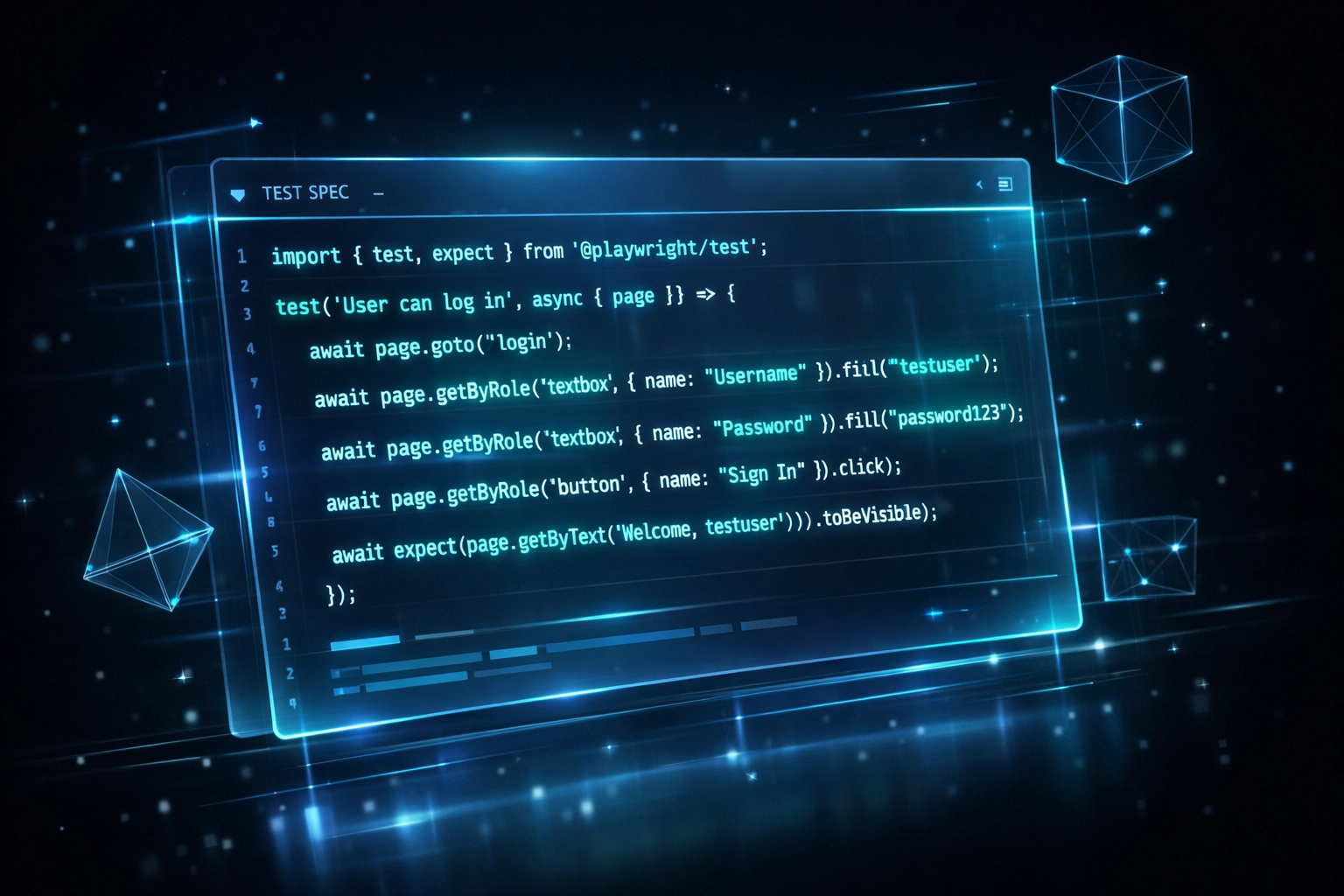
You get the best of both worlds: AI-powered test generation using stable selectors, plus standard Playwright code you can version control, code review, and customize.
The exported scripts use Playwright’s built-in locator strategies: getByRole(), getByText(), getByLabel(): that the Playwright team recommends as best practices. These are the same selectors you’d write if you followed Playwright’s own guidance, but generated automatically by analyzing your application’s semantic structure.
Your team can review the generated code, understand exactly what each test does, and make adjustments if needed. The tests run in your pipeline using standard Playwright test runner. You can integrate them with your existing reporting tools, run them in parallel, and debug them using familiar Playwright tooling.
Check out the CI/CD integration docs to see how straightforward the setup is.
Beyond Selector Stability: Comprehensive Testing
The semantic approach unlocks capabilities beyond just stable selectors.
Automatic accessibility testing: Because AegisRunner analyzes ARIA roles, labels, and semantic structure, it can validate accessibility compliance while generating functional tests. You catch WCAG violations during test generation, not in production.
Security testing built-in: The AI identifies forms, authentication flows, and data submission patterns. It can test for common vulnerabilities like XSS and CSRF during the same test runs that verify functionality.
Regression coverage that scales: AegisRunner can crawl your entire application, understand user flows across multiple pages, and generate comprehensive test suites that adapt to your application structure. Not just isolated component tests: full end-to-end flows that reflect real user journeys.
All while maintaining those stable, semantic selectors that don’t break when your designers push updates.
The Maintenance Difference
Traditional Playwright tests: 40% of engineering time spent maintaining selectors after UI changes.
AegisRunner tests using semantic selectors: UI changes don’t require selector updates. Your team spends that time building features instead.
That’s the real value of stable selectors. Not that AI fixes them after they break, but that they’re built to survive changes from the beginning.
When your tests target what elements do rather than how they’re implemented, you decouple test maintenance from UI development. Your frontend team can iterate freely. Your design system can evolve. Your tests keep working.

How Auto-Healing Works — And When It Shouldn’t
Stable selectors prevent most breakage, but applications still change in ways no selector strategy can predict. When a test can’t find an element, AegisRunner’s healing runs in four steps instead of just failing:
- Detect — rather than reporting failure immediately, it asks whether the element moved, was renamed, or was wrapped in new markup.
- Adapt — it relocates the element by its semantic identity (role, accessible name, text), even if the class, ID, or position changed.
- Validate — the adapted step re-runs to confirm it now passes, and the fix propagates to other tests that hit the same element.
- Record — every heal is logged so you can review exactly what changed, instead of trusting a black box.
Leading platforms reach roughly 95% accuracy on these healing decisions, so most cosmetic changes need zero human intervention.
The important part is knowing when healing shouldn’t fire. Auto-healing should only fix how a test finds an element — never what it verifies. If “Submit Order” becomes “Place Order” because the product team changed the flow, or a button is removed entirely, that’s a real change your test should surface — not silently paper over. AegisRunner heals cosmetic changes and flags functional ones for review, the distinction that keeps self-healing from hiding actual regressions. For an honest look at where self-healing delivers and where the marketing over-promises, read The Truth About Self-Healing Tests.
Start Building Resilient Tests Today
Brittle selectors don’t have to kill your test automation efforts. With the right approach: semantic, text-based selectors from the start: you can build test suites that actually scale with your application.
AegisRunner’s AI generates these stable selectors automatically by understanding your application’s semantic structure. Export to clean Playwright scripts for your CI/CD pipeline. Get regression, accessibility, and security testing in one automated flow.
Start with AegisRunner’s free tier today. Generate your first set of self-healing tests and see the difference stable selectors make. No credit card required.
Visit aegisrunner.com or check out the quick start guide to begin building tests that survive UI changes.